
DBXFlex
The No-Code IBM i Query Tool & Report Writer for DB2
Overview
What DBXFlex Is
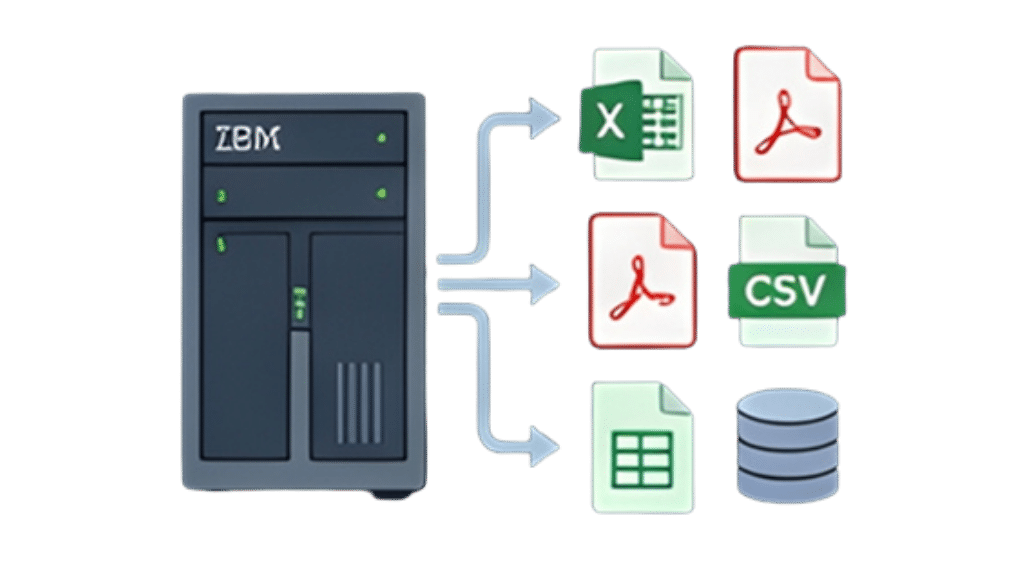
DBXFlex is an easy-to-use, inexpensive query tool and report writer built for the IBM i platform — Power i, iSeries, and AS/400. It runs natively on the system and gives users a menu-driven interface for extracting data directly from IBM DB2 database files, with output to Excel, PDF, or CSV.
The software is designed as an alternative to the traditional IBM i reporting model — where every new report requires a programmer — and to the expensive, complicated, or obsolete report writers that have long dominated the platform.
DBXFlex is flat-priced for unlimited users and delivered as a modular package: a Core module for query and reporting, plus an optional Advanced Utilities module for automated distribution.
What's Inside
Core Module Capabilities
Single-File & Multi-File Queries
Extract data from a single IBM DB2 file, or link multiple files on key fields — visually, without writing SQL. Pull from order headers and lines, customer masters, inventory files, or any combination you need.
Field & Record Selection
Select data by record range and choose exactly which fields appear in the output. Use wildcards to quickly extract an entire database file in the format you want.
Calculated Columns, Totals & Conditional Formatting
Build reports that go beyond raw data — add calculated columns, totals, and conditional formatting directly in the report definition.
Output to Excel, PDF, or CSV
Send report results directly to Excel (XLS or XLSX) spreadsheets, PDF, or CSV. Files arrive ready for business users, finance teams, or downstream systems — no manual conversion step.
Saved Report Templates
Save any report definition as a reusable template. Build it once, run it again whenever the data is needed.
Built-In Scheduler
Automate recurring custom reports with the built-in scheduler. Set the cadence once and DBXFlex runs the report against fresh data on schedule.
IBM i Native Security
DBXFlex respects IBM i native security at every level. Users access only the files and libraries they're already authorized to see — no separate permission layer to manage.
Optional Module
Advanced Utilities Module
The Advanced Utilities module extends DBXFlex with automated distribution capabilities for teams that need to deliver reports at scale, on schedule, without manual handling.
Sentry Job Scheduling
Advanced scheduling that goes beyond the built-in scheduler — for environments that need centralized job management across multiple reports and processes.
Email Bursting
Split a single report run into individual outputs segmented by any key field — one statement per customer, one summary per sales rep, one snapshot per location — and email each to the right recipient automatically.
Address Book Integration
Centralized recipient management so distribution lists stay current and consistent across every scheduled report.
Automated Delivery to Recipient Lists
Schedule any report to be generated and delivered to a defined recipient list — no manual export, no manual email.
The DBXFlex Workflow
O1
Step 1 — Define the
Query
Use the menu-driven interface to select the source file or files. If joining multiple files, specify the join fields visually.
O2
Step 2 — Choose Fields
& Filter Records
Pick which fields to include in the output. Filter records, set ranges, and use wildcards as needed.
O3
Step 3 — Format the
Output
Add calculated columns, totals, and conditional formatting. Choose the output format: Excel, PDF, or CSV.
O4
Step 4 — Save, Schedule,
or Distribute
Save the report as a reusable template. Use the built-in scheduler to automate it. With the Advanced Utilities module, burst the output and deliver it to a recipient list automatically.
Why IBM i Shops Choose DBXFlex
No Programming Required
DBXFlex is intuitive and menu-driven. No RPG, no SQL, no programmer involvement — business users and IT teams use the same interface.
Flat-Priced for Unlimited Users
One flat price covers your entire team. No per-seat licensing, no escalating costs as more people need access to data.
Runs Natively on IBM i
DBXFlex runs on the IBM i itself — Power i, iSeries, or AS/400. There's nothing extra to install on a separate server.
Modular
Start with the Core query and reporting features. Add the Advanced Utilities module when you're ready for automated distribution. Pay for what you use.
Easy to Use, Well Supported
DRV Tech has supported IBM i shops for over two decades. DBXFlex comes with the same hands-on support and 100% satisfaction guarantee that backs every DRV Tech product.
IBM Business Partner
DRV Technologies is an IBM Business Partner, with software purpose-built for the IBM i platform.

Platform
Platform & Compatibility
- Runs natively on IBM i (Power i, iSeries, AS/400)
- Menu-driven interface — no separate workstation software required
- Respects IBM i native security
- Output formats: Excel (XLS, XLSX), PDF, CSV
- Delivered by DRV Technologies, an IBM Business Partner
Pricing & Trial
Pricing & Free Trial
DBXFlex is flat-priced for unlimited users and offered as a no-risk free trial so you can evaluate it in your own IBM i environment before committing.
Are You Ready?
Ready to Put DBXFlex to Work?
Get your team querying DB2 data directly — in the formats they need, on the schedule you set.